Toast
One menu, every surface in the restaurant
Restaurant menus are messy, deeply nested, and change constantly. A single item has to appear correctly everywhere it is ordered, made, printed, and picked up: on the terminal, the handheld, the kitchen screen, the kiosk, the receipt, the app, and the delivery partner. I led the ground-up redesign of how restaurants build and manage their menus, and a design sprint that rethought the pickup moment itself.
Toast is the all-in-one platform that runs point of sale, online ordering, and operations for tens of thousands of restaurants.
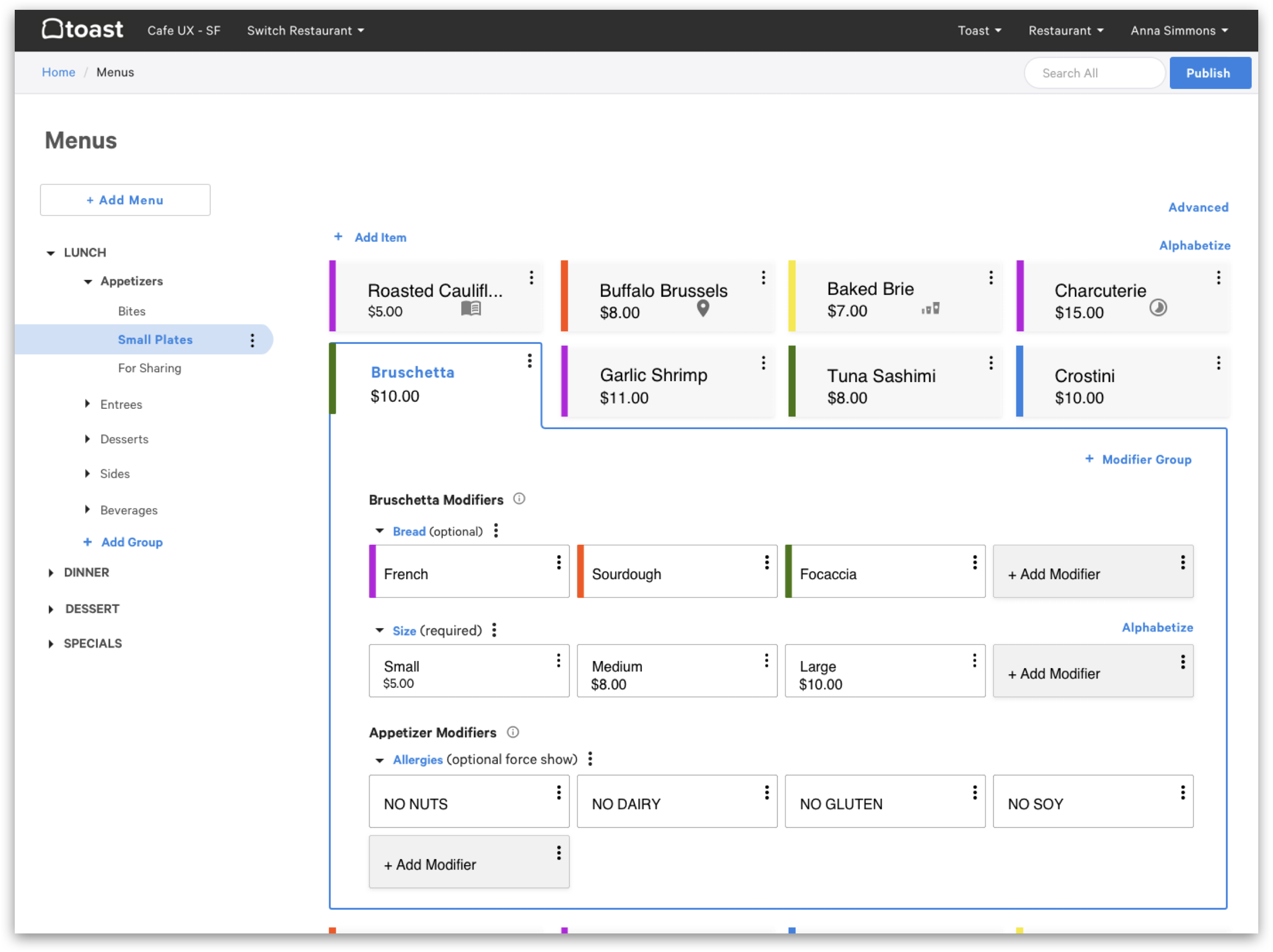
A restaurant menu is deceptively complex. A single item sets its own temperature, the sides it comes with, and common substitutions like no onions, a veggie patty, or a gluten-free bun. Its price can shift too: happy-hour rates by time of day, different pricing per location across a chain, and separate prices by size. And menus nest all of it: menus hold groups, groups hold items, items carry modifiers.
I led design on a menu builder that makes that structure legible and editable in one place, then keeps every surface in sync from a single source of truth: the POS terminal and Toast Go handheld, the kitchen display (KDS) and printed receipts, the kiosk, online ordering on the web, and the Toast Takeout app. It also maps out to third-party delivery partners like Uber Eats and DoorDash.
- End-to-end UX for menu management
- In-restaurant field research with operators
- Cross-surface preview before publishing
- Information architecture for nested menus
- A pickup experience design sprint that shipped and became a pending patent
- Concept work for faster menu setup
One cheeseburger, eight different pages
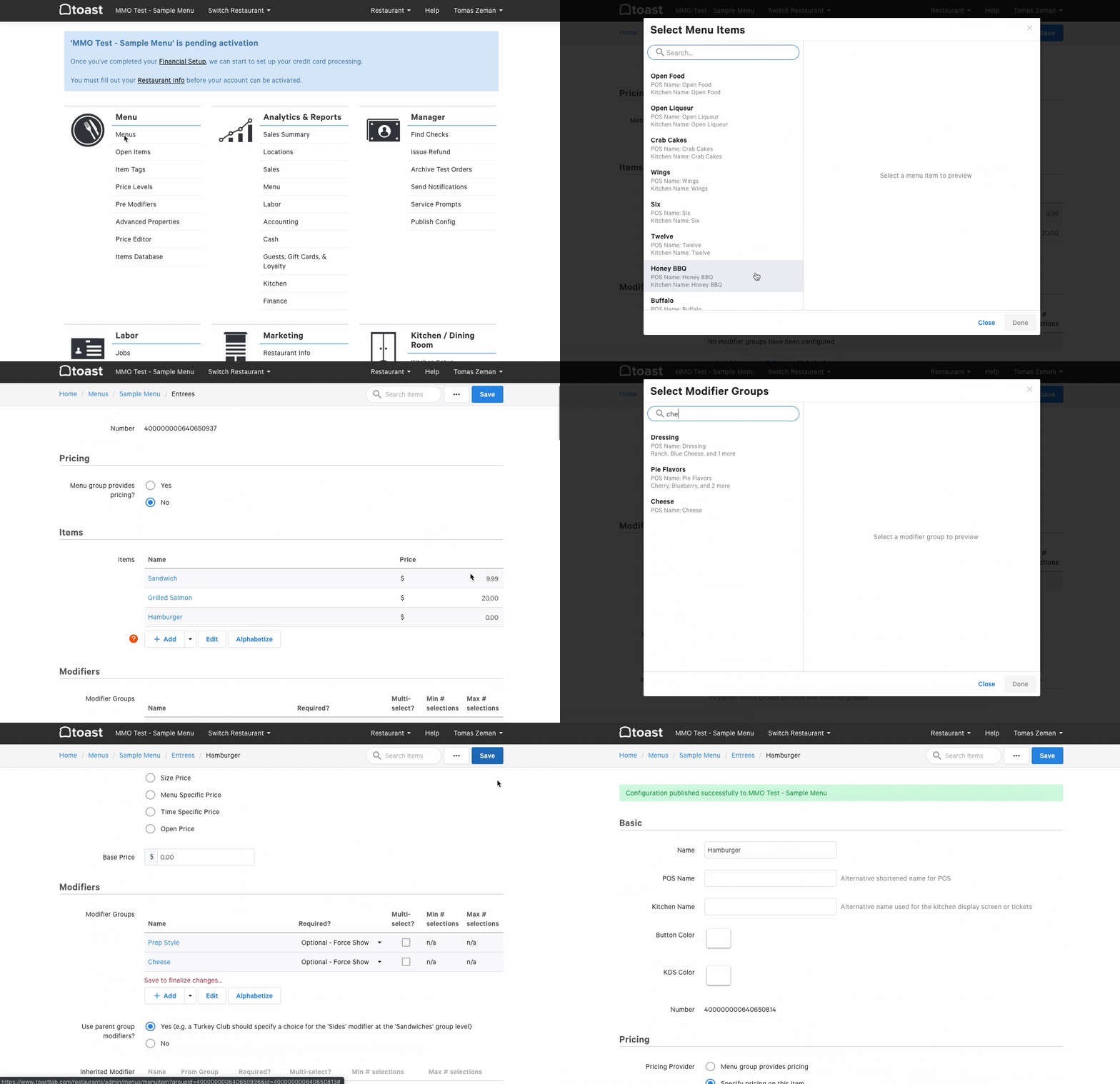
In the original tool, menu management was a dashboard of separate destinations: Menus, Open Items, Item Tags, Price Levels, Pre Modifiers, Advanced Properties, Price Editor, Items Database. Adding one cheeseburger, with its temperature, sides, and substitutions, meant knowing which page did what and re-entering the same thing across several of them.
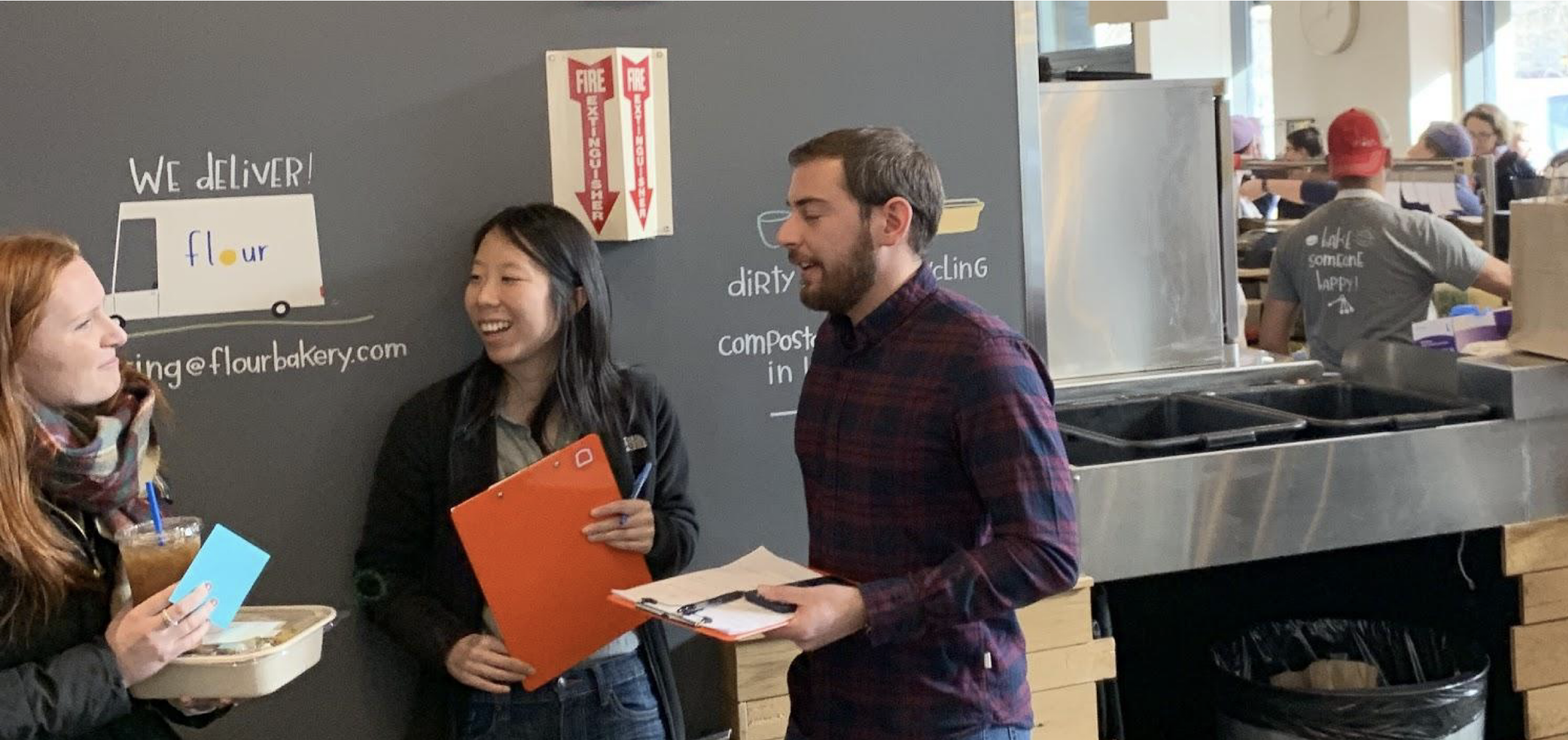
Researched on-site, alongside PMs and engineers
I ran on-site restaurant research with my product managers and engineers, watching real customers collect orders in a working restaurant. Bringing the whole team into the field meant the people building the product saw the same friction I did, so the findings landed as shared priorities instead of a handoff.
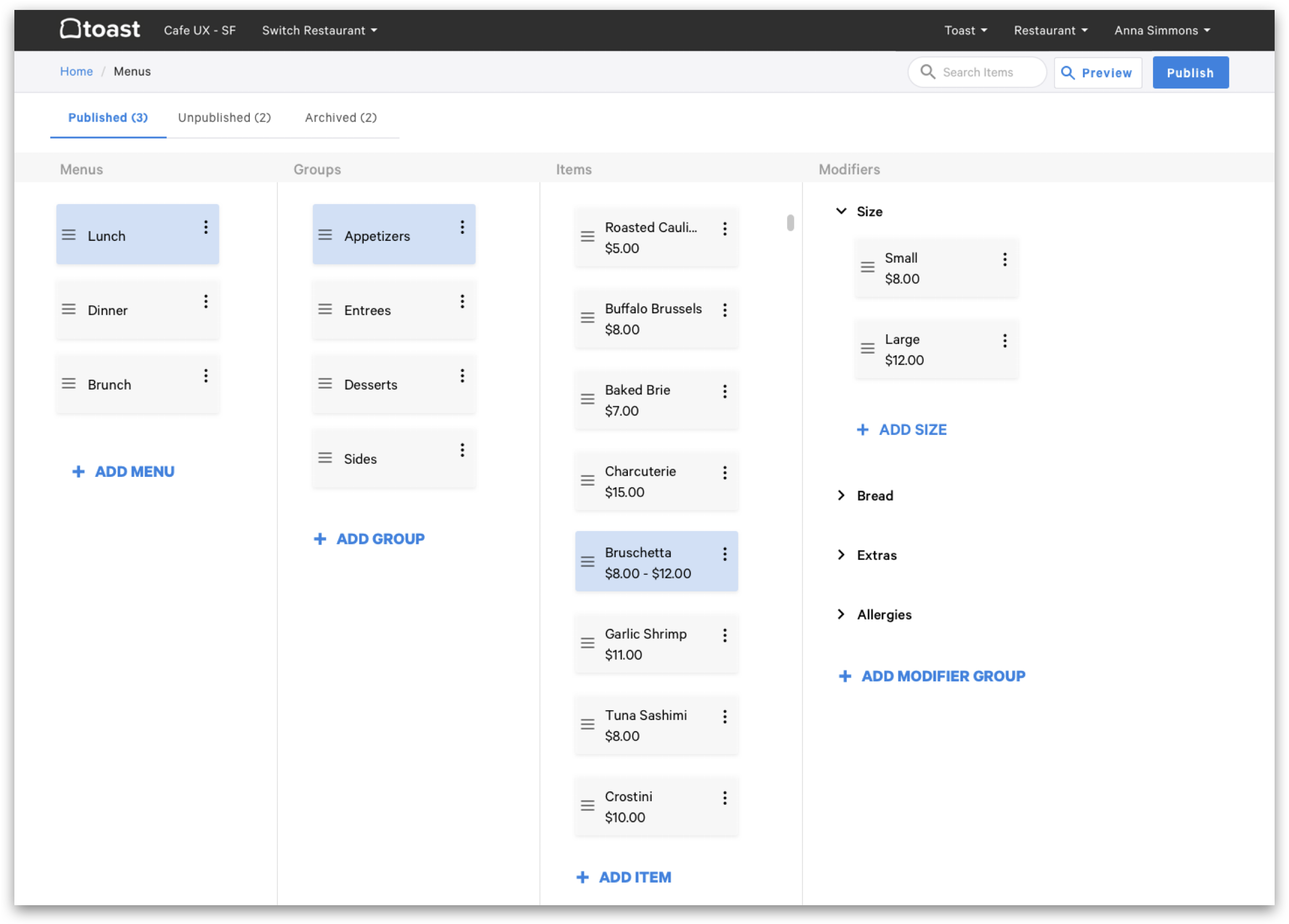
We tested a four-column flow and a tree view
We explored multiple concepts for navigating a deeply nested menu. One kept menus, groups, items, and modifiers side by side in a four-column flow. Another paired a left-nav menu tree with the item, modifier-group, and modifier sections stacked below. Testing both with operators showed where each helped, and the final design took the clearest parts of each.
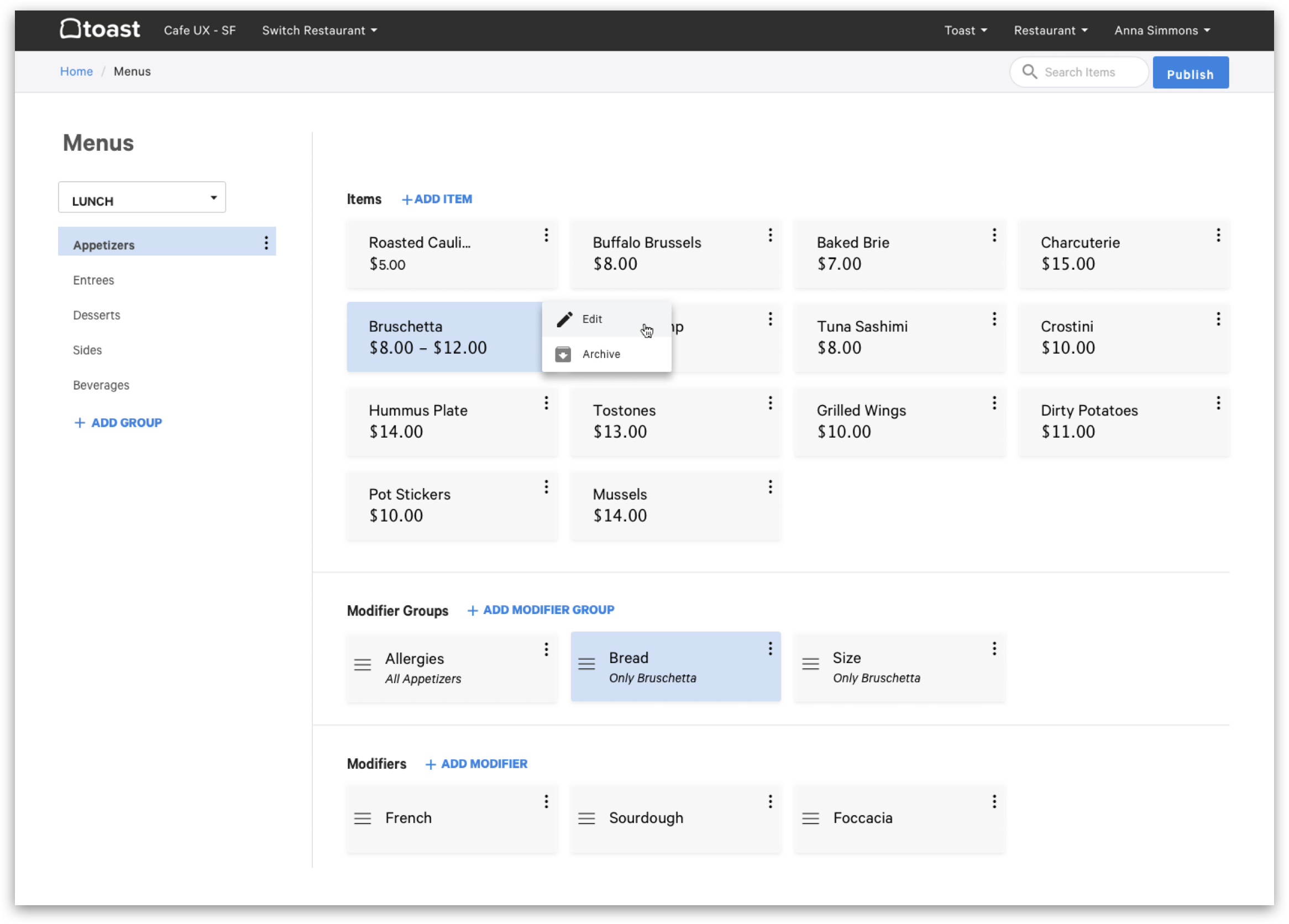
Menus hold groups, groups hold items, items carry modifiers
- 1Menu groups and subgroups organize items into the structure guests browse.
- 2A modifier group can attach to a group, a subgroup, or a single item.
- 3Define a modifier group once, then attach it wherever it applies.
- 4A modifier can carry its own nested modifier group.
- 5A modifier points to one shared definition, so Caesar dressing is counted as one thing across every menu and location.
One item, built once, right everywhere
Follow a single order through the restaurant. A cheeseburger, cooked medium, no onions, with sweet potato fries, is built once in the menu builder. From there it has to show up correctly on the server's terminal, on the handheld at the table, on the kitchen display where the line cooks it, on the printed ticket, on the kiosk, in online ordering and the Toast Takeout app, and at Uber Eats and DoorDash. Every one of those surfaces has different users, different screen sizes, and different moments of pressure, from a host at the door to a cook mid-rush. The menu builder's job was to make one change reach all of them, correctly, at once.
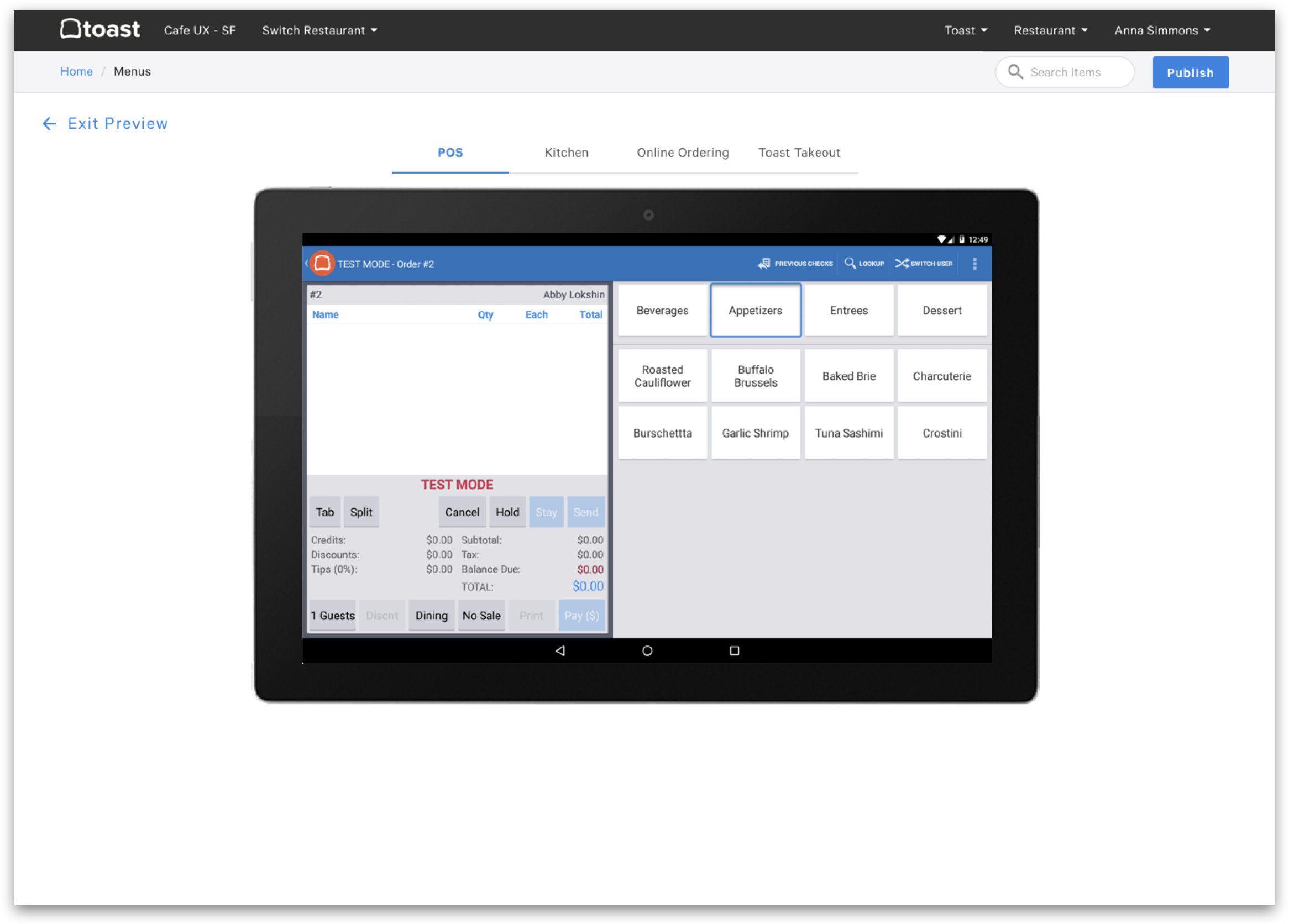
See the change on the terminal before staff do
Publishing a menu used to be an act of faith. We added an in-product preview that renders the edited menu exactly as it appears on the POS, in the kitchen, in online ordering, and in Toast Takeout, so an operator can catch a misplaced item or a wrong price before it ever reaches a server mid-shift.
Finding your order without exposing who you are
Pickup was breaking down at busy restaurants. As online ordering through Toast and the Toast Takeout app grew, guests crowded the dining room waiting for their food, then scanned shelves of identical bags to find it, pulling staff away from the line to help. To make orders findable, most restaurants taped the receipt to the bag, which put each guest's full name and mobile number on display for anyone walking past.
Part of the crowd was a timing problem. Most restaurants quoted a single default prep time for every order, the same for a lemonade as for a catering order, so guests showed up early and lingered.
As lead designer, I ran a multidisciplinary design sprint with engineering and product to fix the whole pickup moment: when guests arrive, how they find their order, and what the shelf reveals about them.
We improved pickup notifications so guests could time their arrival to their order instead of to a guess, which thinned out the crowd waiting inside.
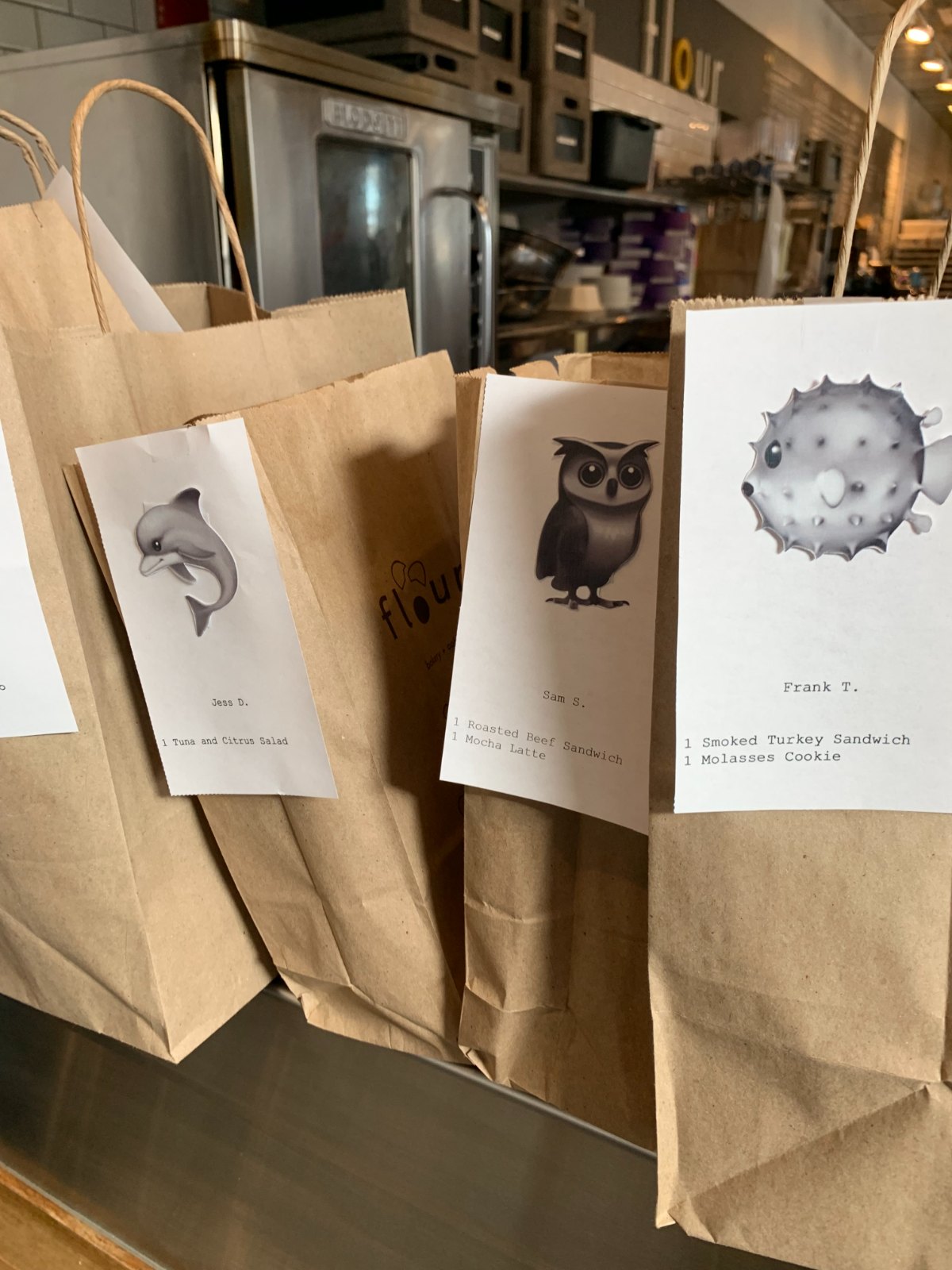
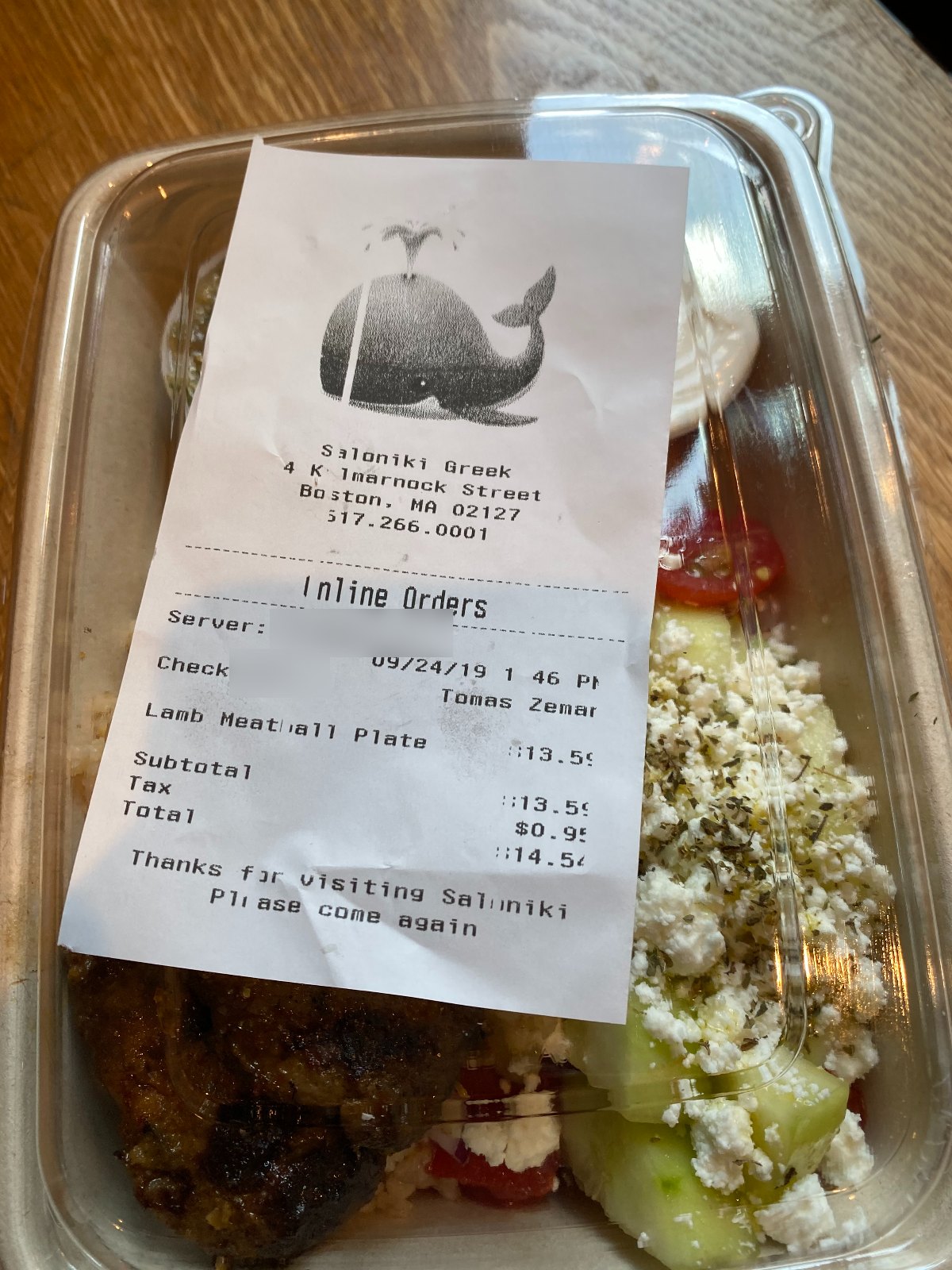
For the shelf, we gave every order an emoji, printed large at the top of the receipt, and took the phone number off. A whale is easier to spot on a crowded shelf than a name, easy to call out across a noisy counter, and means nothing to anyone it does not belong to. The idea ran through the whole service: the order flow, the notification, the receipt printer, the bag on the shelf, and the handoff. It shipped to Toast restaurants and became a pending patent, with me as a named inventor.
"A whale is easier to spot on a crowded shelf than a name."
Point a camera at the printed menu
The slowest part of onboarding a restaurant is typing its menu in for the first time. I explored a concept, Toast Lens, that lets an operator scan a printed menu and turn it into a structured draft, so the builder starts from something real instead of a blank screen. It pressure-tested how far we could shrink the gap between a paper menu and a live, sellable one.
One model, owned across every team
The hard part of menu management is not any one screen. It is agreeing on a single data model that the back office, the POS, online ordering, and the kitchen all trust. As the most senior individual contributor on the design team before the company's IPO, I worked closely with engineering and PM to hold that shared structure steady while each surface rendered it in the way its users needed.
Grounding decisions in field research kept those debates anchored to how restaurants actually run, not how the org chart was drawn.
Jess just shared the Menu UX work, and it's great to see all the effort that's gone in. It seems like we've defined the problem quite well, and it's great to see the different wireframes and the customer testing helping us find the optimal designs.
One menu, trusted on every surface
The menu builder shipped as the single source of truth behind every Toast surface: the POS and handhelds, the kitchen display, the kiosk, online ordering, and Toast Takeout, mapping out to delivery partners. A restaurant builds its menu once and trusts it everywhere it is sold, with no re-keying between systems. The pickup work shipped alongside it, giving guests a clearer arrival time and a private way to find their order. It all shipped as Toast scaled toward its 2021 IPO, running point of sale and operations for tens of thousands of restaurants.